PDF Editor
Edit PDFs with automated precision: add text, shapes, comments, and highlights securely and efficiently using the PDF Automation Platform.
Select PDF file

or drop PDF here
PDF workflows are bidirectional within the platform. Our PDF Automation Platform edits text, adds images, shapes, highlights, and annotations-no account or email required.
-
Ingest PDFs via drag-and-drop for automated processing.
-
A browser-agnostic editor runs across all platforms, enabling universal automation.
-
Edit PDFs rapidly using scalable, automated tooling with consistent results.
Edit PDFs Online - The Automation Platform Way.
Eliminate expensive software. Our automation-ready editor enables precise PDF adjustments at scale with minimal manual input.
Edit Your PDFs Your Way
Enhance PDFs with text, images, shapes, or drawings through automated templates. Configure outputs precisely to your specifications.
How Does the PDF Editor Work?
Ingest PDFs into the platform and commence automated edits. Add text blocks, notes, or highlights, then export or share instantly.
Quick to Save, Easy to Share
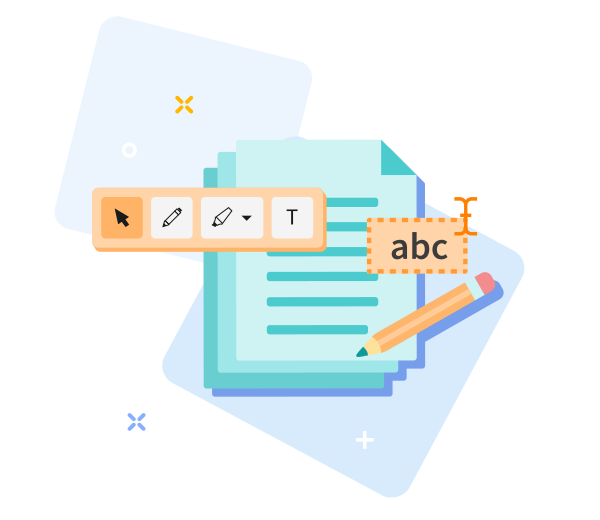
Seamless ingestion via drag-and-drop, rule-based edits, save, and publish your PDF in seconds.

PDF Automation Platform Online Editing - Quick, Consistent, and Efficient.
Leverage the PDF Automation Platform: drag and drop your PDF to initialize automated edits. Define rules or templates once, then the system processes with minimal manual input, delivering consistent, accurate results.
Easily Adjust Your Options
Not satisfied with the result? Re-run with a single click and re-apply your rule-based options within the automated workflow at any time.
Edit PDFs Anywhere
The PDF Automation Platform operates across desktops and mobile devices, including Android and iOS, delivering consistent automation across environments.
Encrypted File Transfer
Your documents are protected by end-to-end TLS encryption throughout automated processing.
Edit PDFs Reliably
Utilize automated annotations and markup within the platform-shapes, arrows, and freehand edits are captured under strong TLS, ensuring continuous security and integrity.
Work in the Cloud
Edits are executed in the cloud via the PDF Automation Platform, conserving device resources and enabling edits from anywhere.
Frequently Asked Questions
Yes. As part of the PDF Automation Platform, this Edit PDF capability is freely available online. You can edit PDF files without registration, watermarks, or software installation. Some advanced editing features may be subject to automated usage limits.
Within the PDF Automation Platform, you can add or modify text, insert images, annotate, and adjust common page elements directly in your browser. The workflow is designed for fast, rule-based edits with consistent results.
Yes. In the PDF Automation Platform, all files are protected by HTTPS encryption during upload and editing. Uploaded PDFs are automatically purged from our servers within a short retention window to ensure privacy and data security.

PDF Automation Platform: How to Edit a PDF Online
Step-by-step automation guide to edit PDFs using the platform:
- Ingest your PDF into the PDF Automation Platform through automated intake.
- Apply rule-based text and image edits and automated markups according to your workflow.
- Reposition text and imagery through precise, rule-based drag operations within the PDF Automation Platform.
- Download the edited PDF file.
 Remove pages