Organize PDF
Sort, insert, and remove PDF pages using automated rules. Drag and drop page thumbnails to orchestrate the sequence in the PDF Automation Platform's organizer.
Select PDF files

or drop PDF here
Consolidate pages from uploaded PDFs into a single document through automated assembly. Page sorting is effortless with the PDF Automation Platform’s organizer-no watermarks, no usage limits.
-
Easily organize pages in PDF files.
-
No installation required; fully cloud-based, with a free tier.
-
Drag and drop PDF pages for seamless automated organization.
Industry-leading Online Tool for PDF Page Organization
Leveraging a PDF Automation Platform, this tool automates page sorting, insertion, and removal with rule-based precision. Upload your file, apply drag-and-drop reorganization, and execute adjustments with minimal manual input. Expect a consistent, accurate, and ready-to-use PDF every time.
Flexible Organize PDF
Each uploaded file is color-tagged for deterministic page-position tracking. The PDF Automation Platform delivers automated, high-fidelity organization with outputs that faithfully preserve the original document.
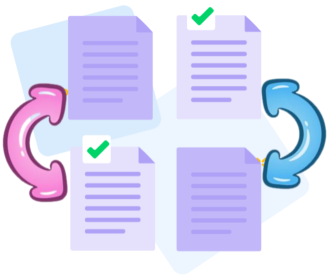
How Does Organize PDF Work?
No installation required. Upload, then apply drag-and-drop, insert or remove pages, and let the automation enforce the sequence. PDF operations are efficient, repeatable, and effortless.

Organize multiple files at once
Process multiple PDFs in parallel and orchestrate page order across all files with the PDF Automation Platform. Sort by page number or merge pages from different documents seamlessly through drag-and-drop orchestration.

PDF Automation Platform: Online Page Organization for PDFs
Within the PDF Automation Platform, upload and choreograph multiple PDFs in the exact sequence you require, combining them into a single, consistently structured file.
Organize your PDFs securely online
All uploads and downloads are protected by TLS encryption, with automatic secure deletion after processing. The platform ensures data privacy and integrity throughout workflows.
Operates Across Windows, macOS, Linux, and Mobile
PDFap runs in your browser on any device - macOS, Windows, Linux, or mobile. Reordering PDF pages is automated and effortless wherever you are.
Organize PDFs easily
Effortless drag-and-drop to reorder pages. Add or remove pages as needed; leverage automated sequencing to adjust document order precisely, including repositioning entire PDFs within an automated workflow.
Organize PDFs Reliably
No need for expensive software. PDFap is a PDF Automation Platform delivering automated, rule-based PDF operations with advanced processing and minimal manual input. It ensures consistency and accuracy across repeated tasks, enabling efficient, scalable workflows with robust security, including TLS encryption.
Cloud - based processing
All organizing tasks run on the PDF Automation Platform in the cloud, conserving local resources. Access from anywhere with internet connectivity and orchestrate end-to-end PDF workflows with consistent, scalable results.
Frequently Asked Questions
Affirmative. As part of the PDF Automation Platform, the Organize PDF tool operates as a free online service. It supports automated, rule-based page organization without registration, watermarks, or local software installation.
You can automatically reorder, delete, rotate, and reassemble pages within a PDF file. The module enables rapid, rule-based structuring of your document to meet consistent, scalable standards across repeats.
Yes. All transfers and processing occur under HTTPS encryption within the PDF Automation Platform. Uploaded PDFs are automatically purged from our servers after a brief retention window to preserve privacy and data integrity, enabling repeatable, compliant workflows.

How to orchestrate pages with the PDF Automation Platform Online:
Step-by-step guide to automated PDF page organization using the platform at no cost:
- Upload your PDFs to the PDF Automation Platform by drag-and-drop into the Organize workflow.
- Apply automated actions to insert, remove, or rearrange pages with minimal manual input.
- Automatically reorder pages, adjust orientation as needed, or orchestrate file order via the right-hand workflow panel.
- Execute the automation by clicking the "Organize" action to complete processing and retrieve your PDF.
 Remove pages




This file requires password
Ignore this file

wrong password
{{ message }}